
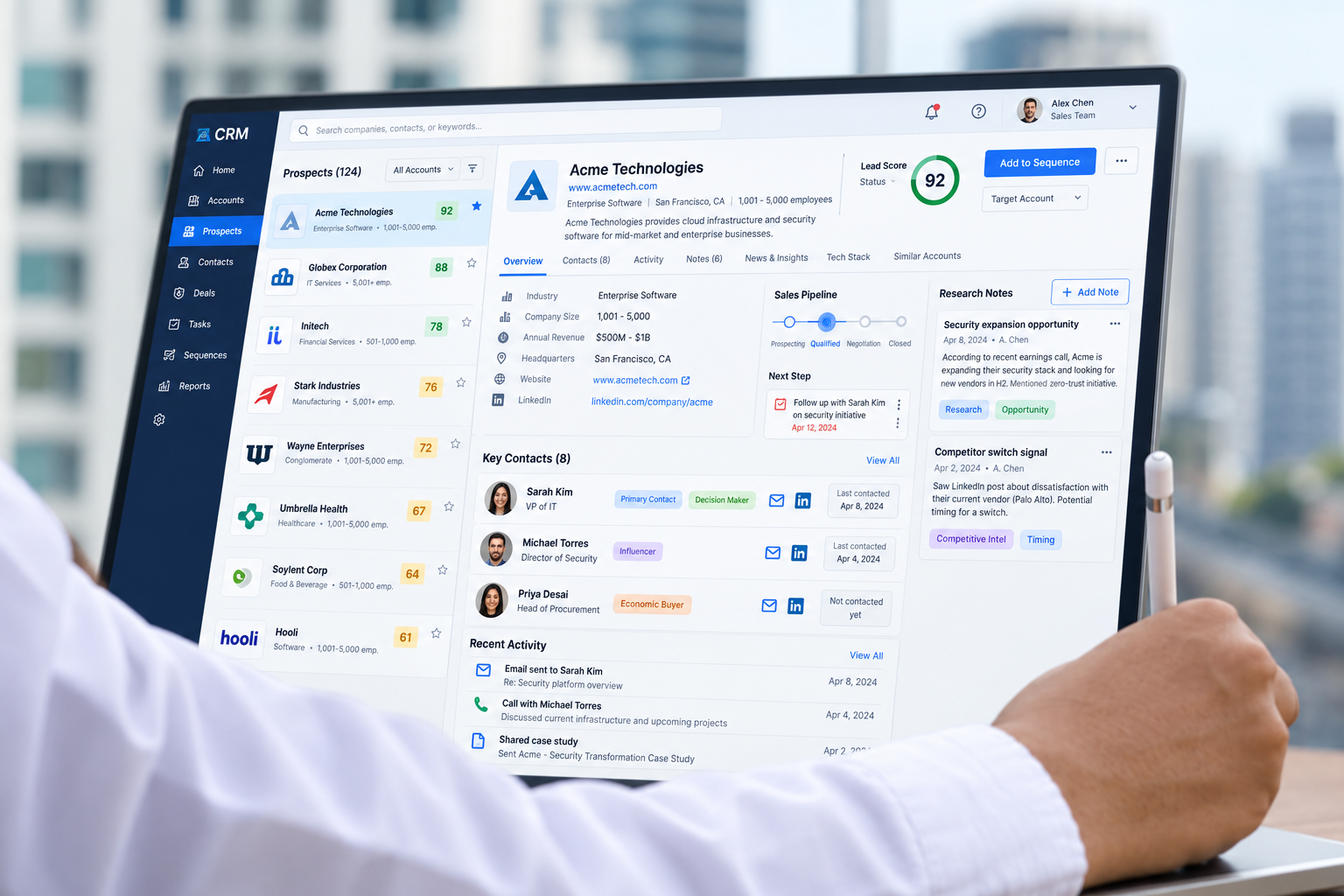
A B2B Lead List Is Not a Lead-Generation System
A list of companies is not yet a lead-generation system.
A sent message is not yet a sales opportunity.
A CRM record is not useful simply because it exists.
A reliable B2B system makes each transition visible:
Who belongs in the target market?
What evidence supports that selection?
What message is appropriate to send?
What response counts as meaningful?
What evidence qualifies an opportunity?
Who accepts responsibility for the next action?
That is the difference between generating activity and building an accountable acquisition process.
1. Define the ICP as a Decision Rule
An ideal customer profile should do more than describe a broad market.
“Manufacturing companies with 50–500 employees” may be a useful starting point, but it does not explain why one company should enter the sales process while another should not.
A stronger ICP can include:
- Industry
- Geography
- Company size
- Operating model
- Relevant service or use case
- Likely buying trigger
- Decision-maker role
- Excluded profiles
- Minimum evidence required
The important question is:
Could two researchers apply this rule and reach roughly the same decision?
If not, the ICP may still be too vague.
Separate Facts From Inference
Research should distinguish between what is known and what is assumed.
For example:
Observed fact: The company has opened three additional locations.
Possible hypothesis: Managing enquiries across several locations may be becoming more complex.
Those are not the same thing.
The first can be recorded as verified context.
The second is a hypothesis worth testing in conversation.
Do not allow a plausible inference to quietly become a CRM fact.
2. Collect the Minimum Useful Company Data
More data does not automatically create a better prospect record.
Start with the information required to decide whether the company deserves further research or outreach.
That may include:
- Company name
- Website
- Industry
- Geography
- Relevant offering
- Reason for fit
- Research source
- Research date
- Verification status
Avoid collecting personal information simply because it is publicly available.
The question should be:
Does this information help us make a legitimate business decision or conduct relevant outreach?
If not, it may not belong in the record.
Preserve the Source and Date
Business information changes.
People change roles.
Companies move.
Websites change.
Phone numbers become outdated.
That is why provenance matters.
For important fields, preserve:
Source
Date checked
Verification status
This allows the salesperson to recheck sensitive details before using them.
A database full of information with no source may look complete while being surprisingly difficult to trust.
3. Enrich for Relevance, Not Volume
Enrichment should make the record more useful.
It should not exist merely to increase the number of populated fields.
Useful enrichment may include:
- Likely decision-maker role
- Approved business contact route
- Relevant company context
- Recent business development
- Possible use case
- Buying-context hypothesis
The goal is to answer:
Why might this conversation be relevant to this organisation?
Not:
How many fields can we fill?
Mark Uncertainty Explicitly
If you are not certain who owns the decision, say so.
For example:
Likely role: Head of Sales Verification status: Unconfirmed
That is more useful than confidently recording the wrong person.
Do not invent direct contact information.
Do not turn a guessed job title into verified data.
Do not allow enrichment tools to create false certainty.
Uncertainty is a valid data state.
4. Prepare Outreach Around a Business Problem
The first message should give the recipient a reasonable reason to care.
It should answer:
- Why are you contacting this company?
- What business issue might be relevant?
- What do you know?
- What are you still trying to understand?
- What is the next sensible step?
Avoid pretending to know internal problems that research cannot prove.
For example, instead of:
“Your team is clearly losing leads because your CRM is broken.”
use:
“I noticed your business operates across several locations. Is coordinating enquiry ownership across those teams something you are currently reviewing?”
The first statement invents a problem.
The second tests a relevant hypothesis.
Use Personalisation to Show Relevance, Not Surveillance
Personalisation should make the message more useful.
It should not make the recipient wonder why a stranger knows obscure details about their life.
Good personalisation may refer to:
- Public company activity
- Relevant business model
- Published expansion
- Industry challenge
- Role responsibility
Keep claims bounded.
Use appropriate business channels.
Follow applicable privacy, outreach and platform requirements.
5. Define Qualification Evidence
A reply is not automatically an opportunity.
Neither is:
- “Send me the details.”
- “Interesting.”
- “Maybe next quarter.”
- “Send your company profile.”
Those responses may justify another question.
They do not automatically justify an active sales opportunity.
Define what the team needs to understand before qualification.
That may include:
- Relevant business problem
- Account fit
- Appropriate contact
- Decision process
- Timing
- Commercial relevance
- Accepted next step
The exact criteria will vary.
The important thing is that the team uses the same definition.
Allow Nurture and Disqualification
Not every contact should remain in an active pipeline.
Useful states may include:
- Qualified
- Nurture
- Not now
- Wrong person
- No fit
- No response
- Closed
- Unsubscribe
Forcing every positive-sounding reply into the opportunity pipeline inflates the forecast.
A smaller pipeline with clearer evidence is more useful than a large one filled with polite conversations.
6. Create One Working CRM Record
The CRM should bring the commercial story together.
A useful working record may include:
- Account
- Contact
- Source
- Reason for fit
- Qualification context
- Current owner
- Latest meaningful interaction
- Current stage
- Next action
- Next-action date
- Evidence supporting the stage
The purpose is not to capture every activity.
The purpose is to make the current commercial position understandable.
Control Duplicate Records
Duplicates split context.
One conversation may end up across:
- Two contacts
- Three account records
- Different owners
- Separate email histories
That makes the pipeline harder to trust.
Automation can flag likely duplicates, but uncertain matches should be reviewed rather than silently merged.
Preserve the original context when resolving them.
Verify Automated CRM Writes
If automation creates or updates a CRM record, confirm that the operation actually succeeded.
Check:
- Was the correct record created?
- Was the identifier returned?
- Were required fields saved?
- Was the correct owner assigned?
- Did a duplicate appear?
- Was the source retained?
If something fails, route it visibly.
A workflow should not quietly move forward after losing the record it was supposed to create.
7. Require Sales Acceptance
Assignment and acceptance are different events.
Assignment means the system routed the record.
Acceptance means a salesperson or team took responsibility.
That distinction matters.
A record can be assigned successfully while nobody actually acts on it.
A stronger handoff looks like:
Qualified → Assigned → Accepted → Next action recorded
At acceptance, the salesperson should confirm:
- The record is valid
- The context is sufficient
- They own the next action
- The next action is clear
- Additional information required is visible
Make Unaccepted Records Visible
If nobody accepts the record within the team’s chosen service window, it should not disappear behind a notification.
Move it into an exception queue.
That queue might show:
- Unaccepted records
- Failed assignments
- Missing qualification context
- Duplicate ownership
- Overdue next actions
Management should be able to see where the handoff failed.
That is where process improvement becomes possible.
Review the System With Evidence
A B2B acquisition system should be reviewed as a series of transitions.
For example:
Valid account → Contacted prospect → Meaningful reply → Qualified conversation → Accepted handoff → Meeting held → Opportunity
Each stage answers a different question.
Valid records
Did the account meet the target criteria?
Contacted prospects
Was an approved message actually delivered?
Meaningful replies
Did the recipient engage beyond a generic or automated response?
Qualified conversations
Did the conversation reveal enough fit, need or intent to justify active sales effort?
Accepted handoffs
Did a salesperson take responsibility?
Meetings held
Did the meeting actually happen?
Opportunities
Did the conversation produce a genuine commercial next step?
Preserve the Denominator
Do not report only the successes.
For example:
20 qualified conversations
means very little without knowing whether they came from:
- 50 prospects
- 500 prospects
- 5,000 prospects
Keep the denominator and reporting window visible.
For example:
500 valid prospects contacted over four weeks → 48 meaningful replies → 17 qualified conversations → 9 meetings held
That gives management something useful to inspect.
Do Not Promise a Fixed Conversion Rate
B2B outcomes depend on many variables:
- Offer
- Market
- Message
- Data quality
- Channel
- Timing
- Brand credibility
- Sales execution
- Competition
- Commercial terms
A workflow can improve visibility and consistency.
It cannot guarantee a universal conversion percentage.
Treat performance claims carefully.
Measure what actually happened in the defined period.
Build the System Around Transitions
A useful B2B lead-generation system should be able to answer:
Why did this company enter the process?
Because it matched the account rule.
Why was this person contacted?
Because the role and contact route were sufficiently verified.
Why was this message sent?
Because the message matched approved outreach criteria.
Why is this response considered qualified?
Because agreed evidence exists.
Why is this an opportunity?
Because the buyer demonstrated enough fit and willingness to continue.
Who owns it?
One named person or team.
What happens next?
One visible next action with a date.
That is what turns a lead list into a system.
Start With One Acquisition Path
Do not try to redesign every channel at once.
Choose one path.
For example:
Research → Enrichment → Outreach → Reply → Qualification → CRM → Sales acceptance
Define:
- Entry criteria
- Required evidence
- Permitted actions
- Human review points
- Exception paths
- Ownership
- Measures
Then test it with a manageable volume.
Inspect where records become unclear or handoffs fail.
Improve that transition before expanding.
The Goal Is an Accountable B2B Lead System
The goal is not more rows in a spreadsheet.
It is not more automated messages.
It is not more contacts sitting in a CRM.
The goal is a system where the team can explain:
Why this account was selected.
What evidence supports the outreach.
How the buyer responded.
Why the conversation qualified.
Who owns the next step.
What happens next.
That creates a much stronger foundation for predictable revenue operations.
Where Vanora Fits
Vanora helps organisations connect targeting, prospecting, qualification, CRM workflow and sales ownership into a more accountable revenue system.
That can include:
- ICP definition
- Research rules
- Data-quality controls
- AI-assisted preparation
- Outreach workflow
- Qualification criteria
- CRM design
- Sales acceptance
- Handoff visibility
- Pipeline measurement
The objective is not simply to produce more leads.
It is to build a process the team can inspect, manage and improve.
Get the B2B Lead-System Canvas
Want to map one acquisition workflow?
DM “SYSTEM” to Vanora Partners for the B2B Lead-System Canvas.
Use it to define:
- Target account rules
- Required evidence
- Research fields
- Qualification criteria
- CRM ownership
- Sales acceptance
- Next-action rules
- Measurement